How to Upload Music to Spotify: A Step-by-Step Guide
You cannot upload music to Spotify directly as an independent artist — Spotify only accepts music from approved distributors. To get your music on Spotify, you upload your track, cover art, and metadata to a distributor like Banger, which then delivers your release to Spotify (and other platforms) on your behalf, typically within a matter of days.
This surprises a lot of new artists: there's no "upload" button on Spotify itself for musicians. Spotify for Artists lets you manage a profile and see analytics, but the actual delivery of your music has to come through a distribution partner. Here's exactly how the process works, what you need before you start, and how to avoid the most common reasons releases get delayed.
Why You Need a Distributor to Get on Spotify
Spotify doesn't accept direct submissions from individual artists for a simple reason: scale and quality control. Distributors act as the intermediary that formats your release correctly, assigns the identifiers Spotify needs to track and pay you, and submits it through Spotify's official ingestion pipeline.
When you distribute through Banger, you're not just getting your song "on Spotify" — you're getting a properly coded release with an ISRC, correct metadata, and a delivery path that also reaches Apple Music, Amazon Music, YouTube Music, Tidal, Deezer, and dozens of other services from a single upload. See best music distribution services for how different distributors compare.
What You Need Before Uploading
Gather these before you start the upload — having them ready is what makes the difference between a same-day submission and a week of back-and-forth fixing rejections.
- A finished, mastered WAV file for each track (16-bit/44.1kHz minimum).
- Cover art — a square image, minimum 3000x3000px, no blurry text, no URLs or social handles, no borders. See the album cover art guide for exact specs and design tips.
- Track and release metadata — artist name (exactly as it should appear), release title, track title(s), genre, release date, and language.
- Explicit/clean tagging — Spotify requires you to correctly flag tracks with explicit lyrics. Get this wrong and your release can be rejected or mistagged. See explicit vs. clean tracks for how tagging works if you plan to release both versions.
- An ISRC code — this is generated automatically by most distributors, including Banger, if you don't already have one. Learn what it does in what is an ISRC code.
- Songwriter and publishing details, if you want to properly collect royalties beyond streaming payouts. See music publishing 101 for why this matters even for a Spotify-only release.
Step-by-Step: Uploading Music to Spotify via Banger
- Create your Banger account and start a new release.
- Upload your mastered audio file(s) in WAV format for each track in the release.
- Upload your cover art, sized and formatted to spec.
- Enter your metadata — artist name, track titles, genre, release date, language, and explicit/clean flags.
- Add songwriter and contributor credits so royalties and publishing data are attributed correctly.
- Select your release date. Submit at least 1-2 weeks before your target date (Banger and Spotify both need lead time for review and, ideally, editorial playlist consideration).
- Submit for distribution. Banger sends your release through to Spotify along with any other platforms you selected.
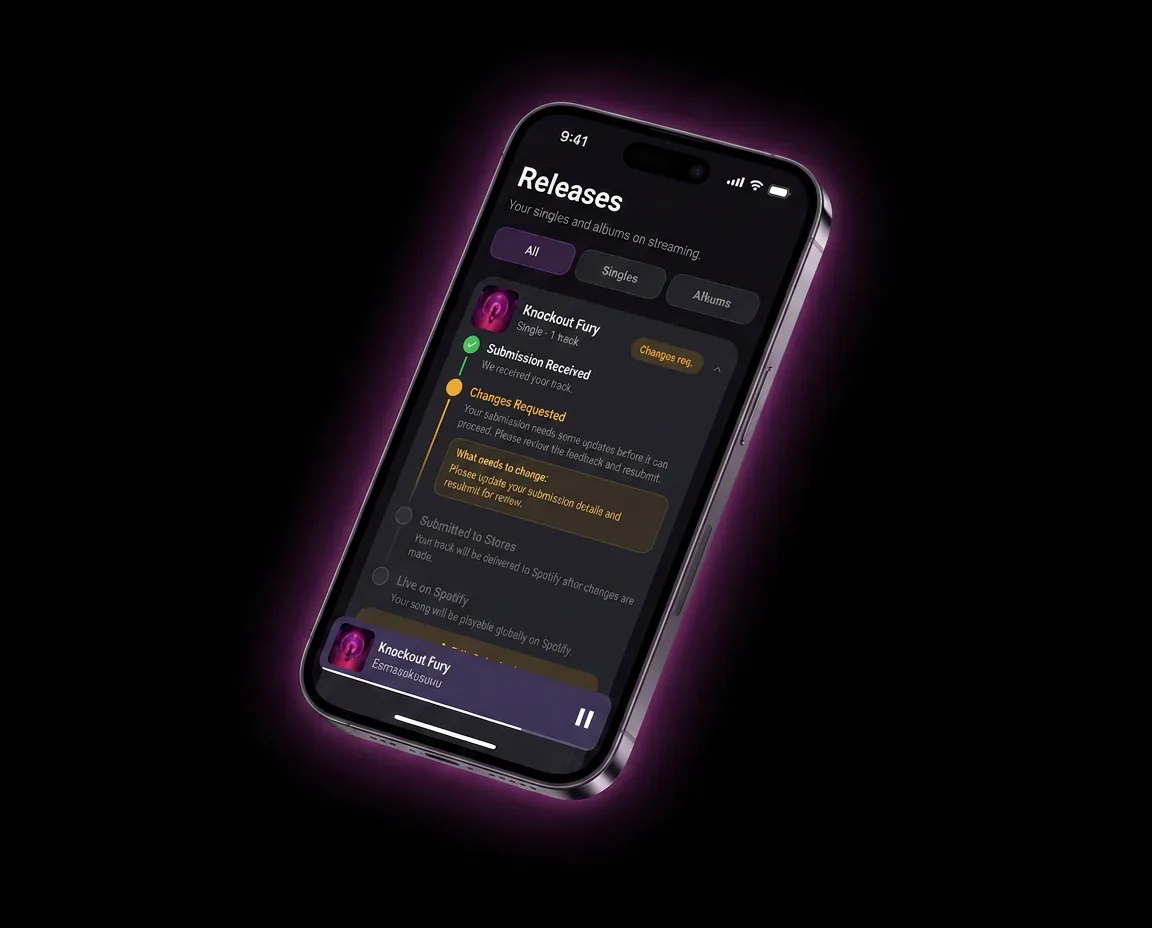
- Wait for review and approval. Timelines vary, but plan for the release to typically take anywhere from a few days up to about a week to clear review and go live.
- Claim your Spotify for Artists profile as soon as the release is live or pending (see below).
Spotify Editorial Playlist Pitching
If you submit your release with enough lead time — generally at least a week before release, though earlier is better — you can pitch your unreleased track to Spotify's editorial team for playlist consideration directly inside Spotify for Artists. This is a free, built-in tool, but it's only available before the track goes live, so timing your upload matters. For a broader strategy on getting playlisted, including algorithmic and independent curator playlists, see how to get on Spotify playlists.
Claiming Your Spotify for Artists Profile
Once your first release is live (or pending release), you can claim your Spotify for Artists profile:
- Go to Spotify for Artists and search for your artist name.
- Request access/verification — Spotify will confirm you're the actual artist, often via a verification code sent through your distributor or a linked social account.
- Once verified, you get access to streaming analytics, audience demographics, playlist pitching, and profile customization (artist photo, bio, pinned content, upcoming shows).
Claiming your profile early matters because it's how you access playlist pitching and performance data — without it, you're releasing music blind. For a full walkthrough of what you can do once you're in, see the Spotify for Artists guide.
Common Reasons Spotify Uploads Get Rejected or Delayed
| Issue | Why It Happens | How to Avoid It |
|---|---|---|
| Cover art rejected | Blurry, wrong dimensions, contains URLs/handles | Use a clean 3000x3000px+ image with no text overlays beyond the title/artist if stylistically included |
| Metadata mismatch | Artist name inconsistent across releases | Use the exact same artist name spelling every time |
| Missing explicit tag | Lyrics contain profanity but track isn't flagged | Review lyrics carefully and tag accurately |
| Late submission | Uploaded too close to release date | Submit at least 1-2 weeks ahead |
| Low-quality audio | MP3 or unmastered file submitted | Always submit a final WAV master |
Pre-Release Best Practices
- Submit early. Give yourself buffer time for review and editorial pitching.
- Set up pre-save campaigns to build streaming momentum on day one, which helps signal the track to Spotify's algorithmic playlists.
- Line up promotion before release day, not after. See music marketing strategies and how to get your first 1,000 streams on Spotify for tactics that actually move the needle in the first 24-48 hours.
- Cross-post to TikTok ahead of or alongside your Spotify release, since viral TikTok moments often drive direct Spotify search traffic. See how to get your music on TikTok.
How Banger Makes This Easier
Banger is built to remove the friction from this exact process. Instead of managing separate accounts, formatting requirements, and review timelines across platforms, you upload once through Banger and your release is delivered to Spotify and other major DSPs together. built-in promo tools like pre-save links helps catch common metadata and artwork issues before submission, which reduces rejection risk and keeps your release on schedule. Pricing is $24.99/year.
FAQ
Can I upload music to Spotify for free?
Getting your music onto Spotify requires a distributor, and distributor pricing varies — some charge a flat annual or per-release fee, others take a percentage of royalties instead of an upfront cost. There's no way to upload directly to Spotify without going through a distribution service of some kind.
How long does it take for music to appear on Spotify after uploading?
It typically takes anywhere from a few days up to about a week from submission to your music going live, depending on the distributor and how close to your submission date you're releasing. Submitting at least 1-2 weeks before your target release date is the safest approach.
Do I need an ISRC code to upload to Spotify?
Yes — every track needs an ISRC code so Spotify can track streams and attribute royalties correctly. Most distributors, including Banger, generate this automatically if you don't already have one.
Why was my Spotify upload rejected?
The most common causes are cover art that doesn't meet spec (wrong dimensions, blurry, contains URLs), inconsistent artist name metadata, or incorrect explicit/clean tagging. Reviewing your assets against platform requirements before submitting is the best way to avoid this.
How do I claim my Spotify for Artists profile?
Once you have a release live or pending on Spotify, search for your artist name on Spotify for Artists and request verification. Spotify confirms your identity, often through your distributor, and then grants you access to analytics, playlist pitching, and profile customization.
Can I upload an album directly, or only singles?
You can upload both singles and full albums/EPs through a distributor in a single release — you're not limited to one track at a time. If you're deciding on release format, see what is an EP for how that compares to a single or full album strategically.
Get Your Music on Spotify
Skip the confusion of figuring out distribution on your own. Banger gets your music onto Spotify and every major streaming platform from one simple upload. [Get started at SIGNUP_URL].